(This is an article that I have just submitted to be published by the OEVSV Club magazine in it’s next edition). Here the short English version.
I know that some clubs offer Wavelog as online logbook for its members. Maybe then this information is useful for you to manage your QSO from various activities. There is no extra benefit for SOTA activators/chaser per se to use this tool in addition to SOTAdata.
For operators who are mostly portable, managing station locations in Wavelog was, and still is, a very tedious task, as each station location with its own locator and references (e.g., SOTA, POTA, WWFF reference) had to be manually entered. Anyone who had accumulated ADIF data over years or even decades quickly became discouraged, as this represents a massive time investment.
But thanks to Jörg DJ7NT, there is now a (batch) import tool that allows this process to be automated.
It is an open-source command-line tool called WaveRover, which can be downloaded from
with Releases for Windows, Linux, and macOS.
To import data into Wavelog, you must first log in to the Wavelog account. Under stationsetup, you must create at least one station log. For example, you can create one for your home station and one for portable operation. More information about logging in and setting up your station can be found in the ÖVSV Wiki ( https://wiki.oevsv.at/wiki/WaveLog) or the official https://docs.wavelog.org/.
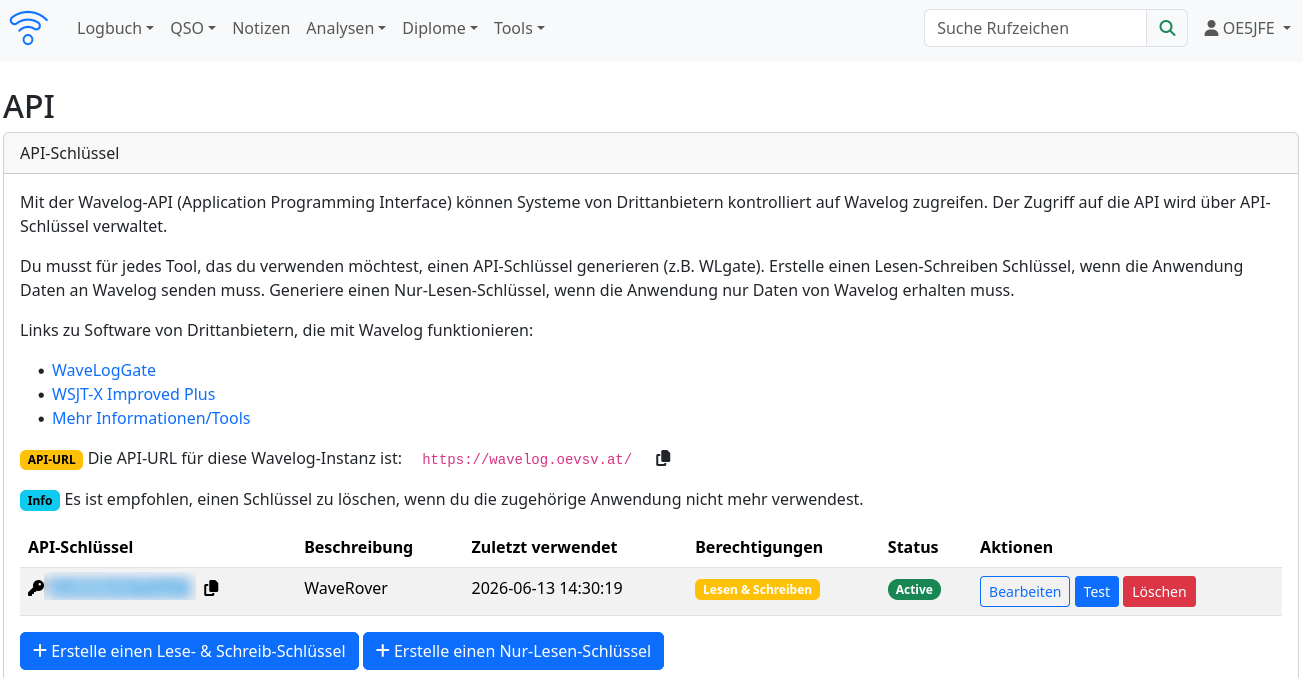
Then open the menu in the upper right corner and select “API-Keys.” Create a new API key (read and write) and optionally name it, for example, “WaveRover.”
This API key is required to assign QSOs to your user account during upload.
Preparation steps:
1.) Create your own API key (required as the key argument below) in your own Wavelog - Enable read and write access!
2.) Download the WaveRover version compatible with your operating system and move it to a directory. (Depending on your operating system, you may need to make the program executable.)
3.) Copy the ADIF file(s) to the same directory.
4.) Open a command-line terminal (Windows CMD, Terminal).
5.) Run the appropriate command. See examples on the WaveRover website.
By default, QSOs are grouped by callsign (STATION_CALLSIGN) and your own locator (MY_GRIDSQUARE).
This can be extended or replaced with MY_SOTA_REF or MY_POTA_REF, among others.
Here’s an example of how to create a new location for each combination of callsign, locator, and SOTA reference and upload the QSOs. This combination should then be used consistently for future locations.
As you can see, the -dry-run argument allows you to test the QSOs offline. Without this argument, the upload starts immediately. Here, the previously created API key must be used:
waveRover_windows_amd64 -url your_wavelog_url -key *********** -match-fields STATION_CALLSIGN,MY_GRIDSQUARE,MY_SOTA_REF” -dry-run my_log.adi
Linux users (e.g., on a 64-bit x86 system) should use the version ./waveRover_linux_amd64, etc.
A custom naming format for the location name can also be defined using the command-line argument -name-format.
To obtain, for example, SOTA OE/WI-001 (OE5JFE/P) as location name this argument is used:
-name-format “SOTA {MY_SOTA_REF} ({STATION_CALLSIGN})”
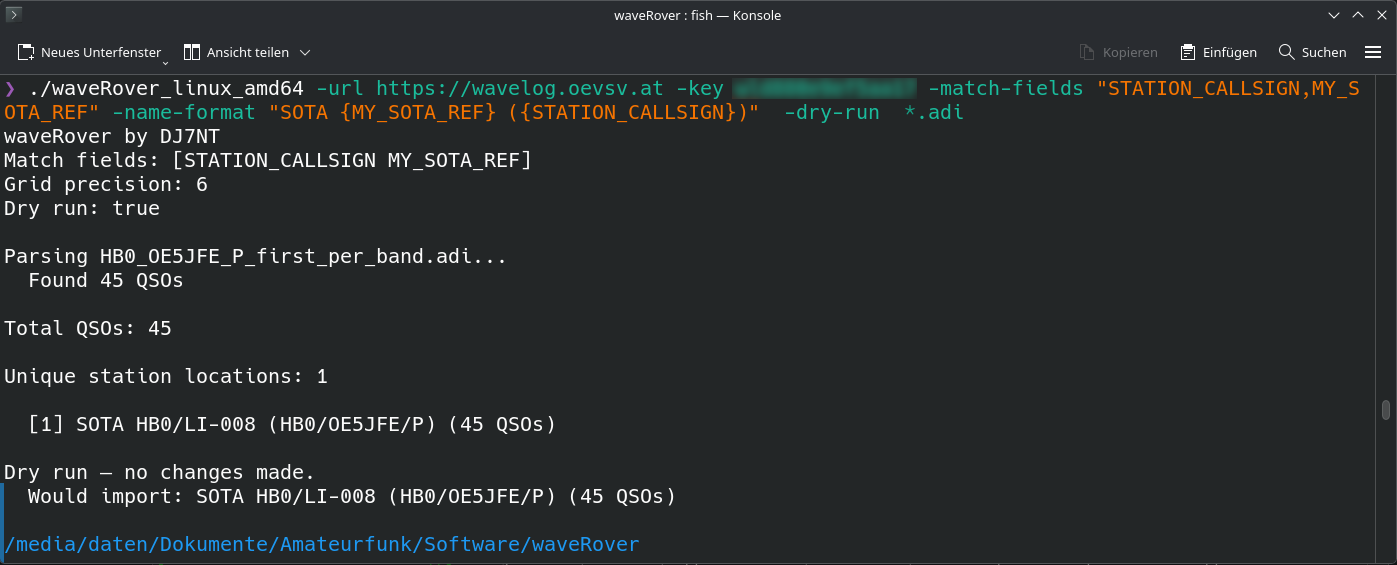
You can see how the data from the ADIF is automatically converted to locations:
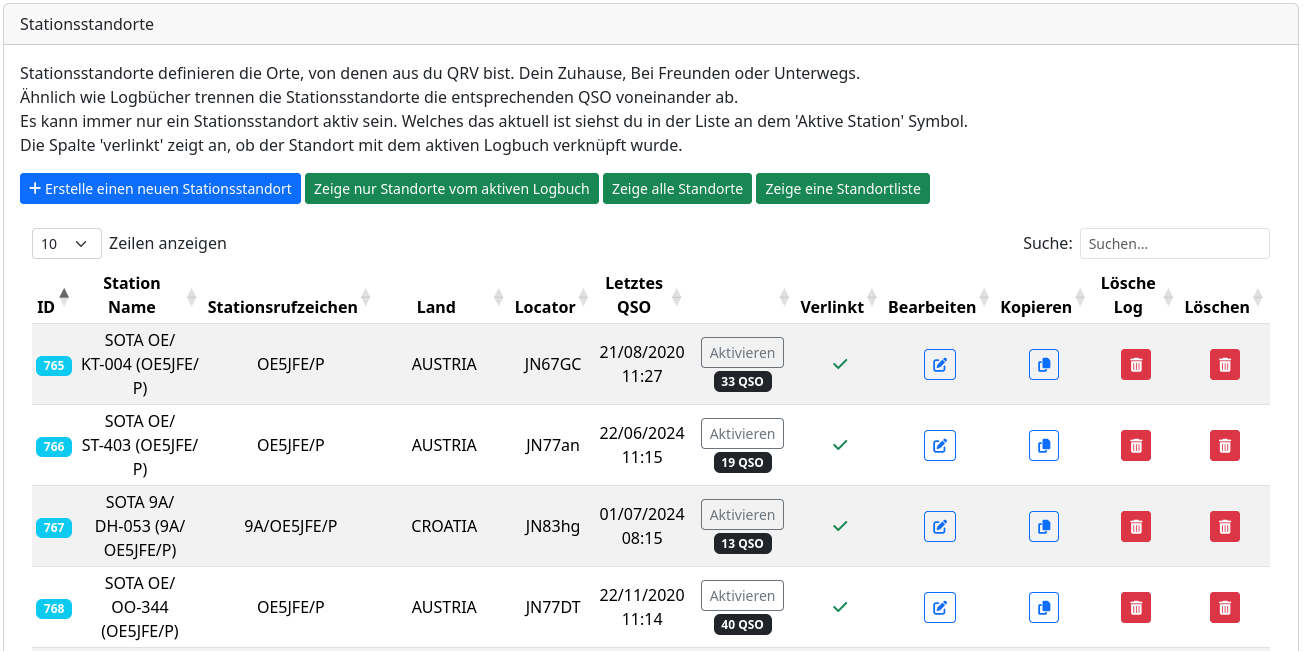
The tool also checks if a suitable location already exists and adds new QSOs there instead of creating a new location. Duplicate QSOs are also ignored.
Notes on the ADIF: Several mandatory fields (my_dxcc, my_country, my_cq_zone, my_itu_zone) are required to create a location. If these are not present, the tool attempts to determine them from the STATION_CALLSIGN. Only the user’s own ITU zone cannot be uniquely determined from the station callsign. In this case, the tool prompts for the zone number (Austria has zone number 28). A map of the zones can be found online at CQ/ITU Zone Check
Importing data from LoTW, QRZ, eQSL, and similar services as source data for Wavelog is not recommended. These QSL services are not backup services, and therefore the ADIF files are often incomplete and not always correct. For example, most services overwrite the QSL field or omit information. The same can be said for converting SOTA csv to ADIF and importing those files.
It is always best practice to work with the original ADIF files from your logging tool.
Many thanks to Jörg DJ7NT, who promptly added new features in response to my inquiries. 
Enjoy uploading and using Wavelog!
73 de Joe, OE5JFE
Members of OEVSV: https://wavelog.oevsv.at/
Members of DARC: https://log.darc.de
If you want to try the demo version: https://demo.wavelog.org/