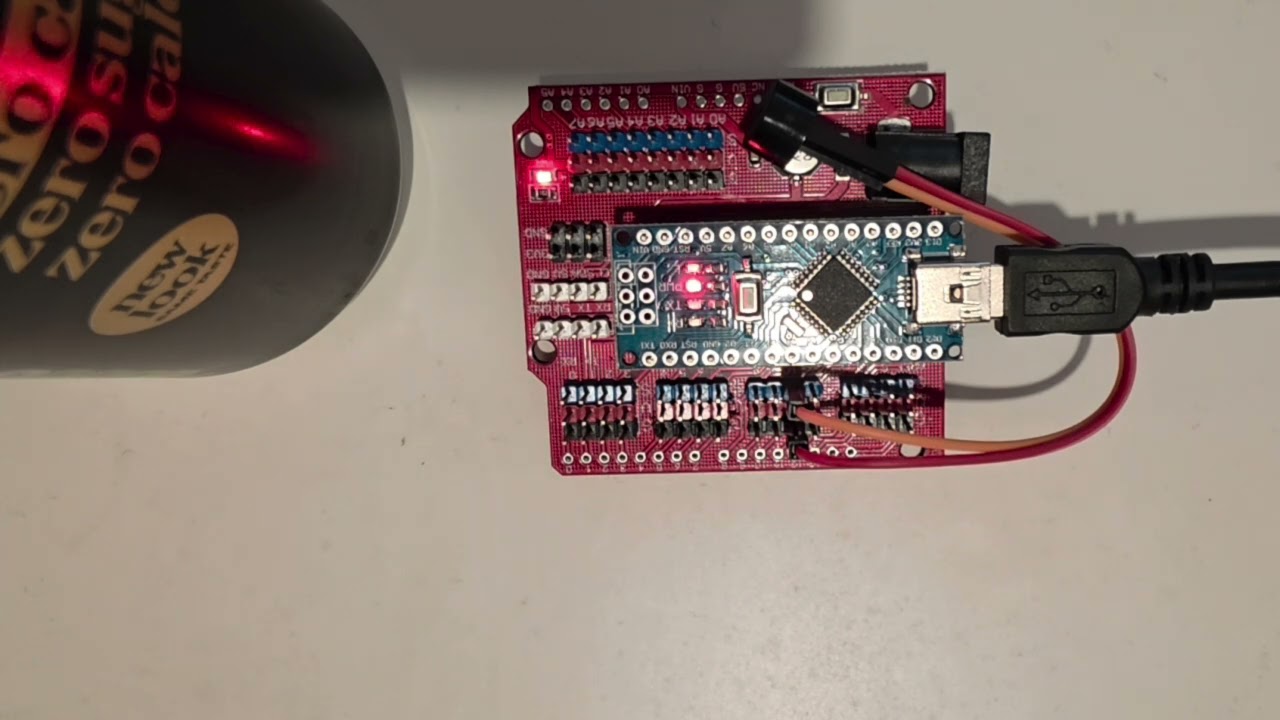
So I was very much inspired by the article by Steve @G4AQB in the latest Practical Wireless. He built a great little VHF beacon.
Seeing as VHF/UHF and CW are my favourite things I decided to have a go at the project too. Here is my prototype. I have a buzzer attached to test it, see can you decode (minus the brief audio edit at 19 seconds for obvious reasons, no it isn’t exact one) the beacon message for some CW practice!
Note I haven’t soldered on the clock board yet. I have a couple of clock boards but don’t have any nylon stand offs yet and need to buy some. This is just to test the Arduino code is working properly. I have never used Arduino IDE before so please be gentle!
All being well I will take my beacon out portable soon. I have enough parts to build 5 of them if anyone is interested. Or i might make some UHF and HF beacons, I am unsure just now which way to go.
Just thought to share anyways and hopefully these will be on the air making good use of VHF and UHF bands soon so Comreg don’t take them away from us!
Just a small update for the minus 5 people that might be interested!
I have the beacon built and up and running. Just 10mW and runs off of a 9v Duracell. Have a look and see it running live! If anyone is in the Dublin area see if you can hear it? I would love to know if you can!
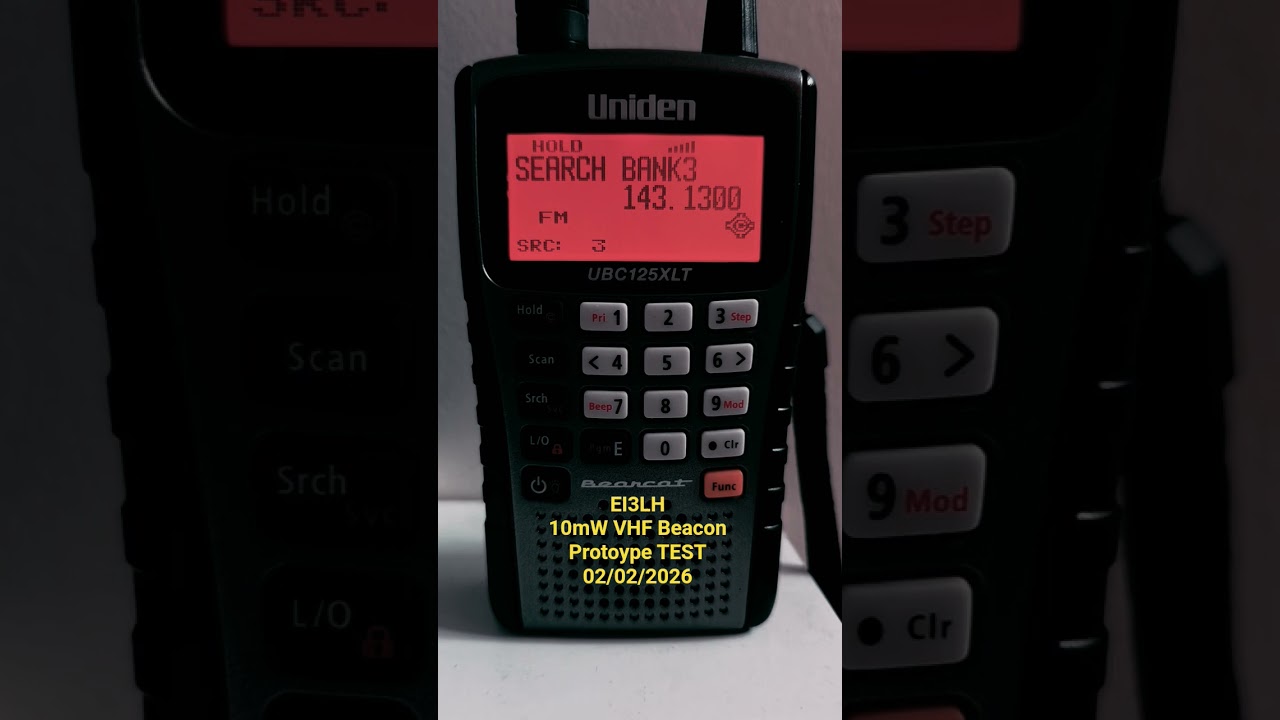
The only problem I am having though is it is showing up on my scanner as the wrong frequency. It is programmed to run at 144.480 but is clearly wrong. I have it running through a band pass filter just to be safe, but am stumped as to why it is off frequency.
Oh well, I will keep trying to work it out. I hope folks can hear it anyway. VHF/UHF forever!
72
EDIT: Think I have the frequency issue solved. The chip used for the clock boards varies from manufacturer to manufacturer, and can be a little high or low. This can be adjusted in the Arduino code. Essentially, adjust the ‘frequency’ value in the code until the clock board outputs the correct value of 144.480MHz, or whatever frequency you want to use within the VHF beacon allowance on the band plan.
YMMV depending where you live of course, so please use appropriate frequencies per your band plan.
Is it a good idea posting a video showing you transmitting out of band?
The frequency generated by the si5351a depends on the crystal. They could easily be 30ppm out and it might be more than that if the incorrect load capacitance is set but that doesn’t explain the massive discrepancy.
Looking at the code there is a calibration factor with a default value of 68000. This is the amount of correction in ppb the code applies - it’s this that you should be changing to get the correct frequency out. It’s seems an odd way to do it as the code is assuming a 25MHz crystal. Still not sure it explains the massive discrepancy.
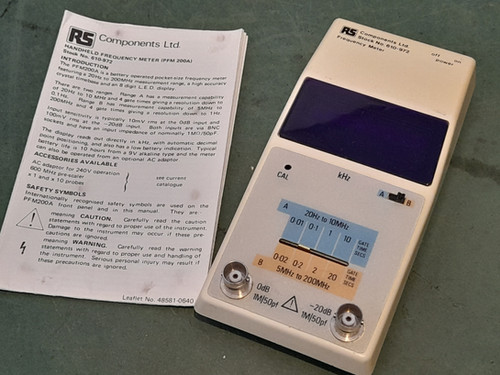
Do you have a 'scope or SDR receiver you could use to check what frequency the crystal is actually oscillating at?
Well it will be into a dummy load so it’s just leakage as nobody would really be so stupid as post video of them TXing out of band.
Whilst there’s value in simple beacons, there are plenty on 10m. A VHF beacon that’s not GPS disciplined in frequency, GPS disciplined in time and not sending some modern JT4 or such signal for the majority of the time is likely to be of limited use.
Yep I had it initially to an antenna to see where it was hitting. The clock is out by a bit so I pulled it and it is now on a dummy load while I check through the *.ino file.
It isn’t as simple as adjusting the transmit value. You need to adjust the clock calibration and I don’t have a frequency counter to do it.
The video does have a note stating the frequency is out of whack and was only for a test. At least it works!
That’s where I got stuck after initially thinking I could alter the TX frequency to compensate somehow, which didn’t work (obviously! ). I did read in the article that those si clocks can be a bit off but thought it best not to mess much further in case I destroy the clock board somehow and they were not super cheap to keep having to replace (as well as being a pain to solder).
Bit stuck now. So close yet so far!
EDIT:
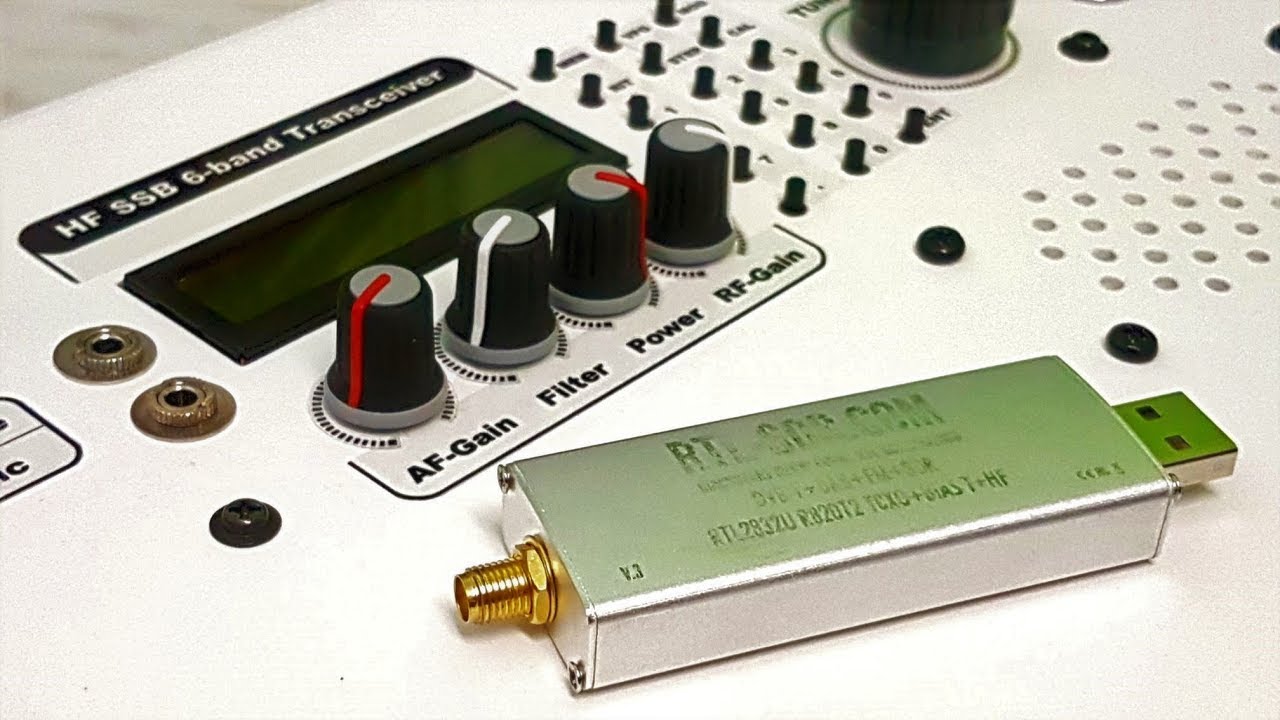
I don’t have a scope but I have one of those RTL SDR v4 sticks somewhere. Also, this should help?
You can use it to check the frequency. First calibrate it. I don’t know if the software you use has a feature to do this, but if not just tune to a known accurate frequency (e.g. RWM, Radio 4) and you can see if it is out or not. Then you can receive the si5351a crystal oscillator with a loop of wire and also the actual transmit frequency.
Brilliant Richard. Thank you for this, I will give it a try tomorrow and see how it goes. Really hoping I can get it to work.
Falling at the final hurdle at the minute but it is fun to try a practical project and learn a bit more about VHF and also Arduino IDE which I have never used before.
EDIT:
Found this handy tool which might save me a lot of hassle once I alter the si calibration parameters.
Oh and I have a QRP Labs GPS device and another GPS unit somewhere so could add GPS to the project at a later date.
I had another look at the beacon with a dummy load attached and I can’t get the frequency to change.
I think i will need to run the 5351.sh calibration software. I’ve managed to find a cheap frequency counter for sale, calibrated (apparently) and in good nick. I am going to run that software and see can I recalibrate the clock board myself.
Failing that I had a kind offer from an EI Jamon to help me calibrate it at their gaf, so there’s options to get this sorted!
Totally unrelated, but I was out /P today and heard @G4TGJ on 20m. I tried to reply to your QRZ but you had a crazy pile up on the go. I was running 5w so you probably couldn’t hear me anyway. That said, a few minutes earlier I made a CQ call on 20m CW and got 5NN both ways to New York!
I also chased @EI4JY on a SOTA just before that QSO. Nice to get Alex on HF for the first time. Don’t think he heard me though!
@G5TEA was on 2m CW (edit: according to the spots on PoLo! ). I chanced my arm trying to chase but no dice alas.
It seems my effort to change my call so its not confused with anyone (G0AZS vs G4AZS) has turned into an epic fail after Mark changed his to M5TEA after mine was changed…. Oh well.
Ah I get similar with EI2LH (a sound chap I know offline, we just happen to have adjacent calls). Can be confusing sometimes, particularly if we are chasing the same QSO at the same time!
My frequency was a bit noisy so if you were weak I wouldn’t have heard you. 20m is not the best band for EI ↔ G. I think I might have heard the occasional weak signal but never enough to make anything out, and then they disappeared.
I’d say i was lost in the noise your side perhaps. Sounded like a fairly beefy pile up you were dealing with! I tried a couple times when a break came to try but no dice. Another day!
I don’t think I had that many callers. I tried to get a few S2S and those activators seemed to have some big pile-ups (perhaps it sounds very different at the chaser side). Unfortunately quite a few chasers were not behaving very well and sending when they clearly couldn’t hear there was a QSO in progress or when the activator asked for /P and sent right over me. Very frustrating!
Yep I caught that. There seemed to be a lot of folks clamouring over each other or disappearing quickly from what I heard. Knowing I was only 5w I just hung back until an appropriate break appeared to send my callsign but alas no success. Next time perhaps!
if this around midday today I did a SOTA activation on Top o’Selside G/LD-048 then three Wainwrights. I called CQ on 2m CW on all summits.
Apologies to @G5TEA Marc but you got in first before i could push the button on that callsign, having such a great callsign is just a curse you’re going to have to live with.
Heaven help CW chasers when Nigel and I do our yearly joint activation next, he’s M5TUE




 ). I did read in the article that those si clocks can be a bit off but thought it best not to mess much further in case I destroy the clock board somehow and they were not super cheap to keep having to replace (as well as being a pain to solder).