Support for Web SDR integration: when you “click to pounce” on a spot frequency, it not only tunes your Elecraft to that spot frequency but (optionally) can also launch a new web browser tab to a WebSDR URL for that spot. This is useful for home stations that want to efficiently chase (listen to your local WebSDR, transmit from your Elecraft). (AB6D)
Improved developer build experience (KC6X)
Moved the “Launch SOTAMAT” button from SOTA/POTA pages to the CAT page (KC6X)
Changed service that does IP address to Lat, Long from one that uses HTTP to one that uses HTTPS to reduce browser conflicts (AB6D)
Moved WiFi help instructions from the page into a popup to make UI more compact (KC6X)
Simplified CSS stylesheet code for developers (KC6X)
Fixed but #71 - Elecraft wasn’t getting correct LSB/USB mode based on frequency. (AB6D)
Make both frequency and mode changes between the radio and the Browser UI bidirectional (KC6X)
Made the UI look better in many places (KC6X)
Fixed bug with auto-power-off (AB6D)
Made SOTAMAT FT8 transmission power level more resilient (read-after-write retry logic) (AB6D)
Other minor developer and UI changes
If you haven’t updated in a while, there were a bunch of other improvements made in the June 2025 time frame, so it’s time to update!
I’ve been setting up my SOTACAT for the past few days and it’s working fine so far. I can control my KX2/KX3 using the Bonjour browser. However, as soon as i click “Launch SOTAMAT” and the browser switches to the app, i can select the Summit, Frequency, Mode, but nothing happens when i select “FT8 CAT frequency (USB)”. When i click “Transmit” the Transceiver switches to transmit mode, but it only sends a continuous carrier signal on the spot frequency, not on the FT8 frequency.
After several attempts, the SOTAMAT app is closed by Android with error. I think it has something to do with the frequency and mode changes between the radio and the browser UI being bidirectional. I’ve now tried it with two smartphones (Samsung S22+/S24+). I tried also Samsung’s own browser and Chrome browser, without success.
Can someone describe to me exactly what should happen when i select the FT8 Cat frequency in the menu? How does the radio react to this?
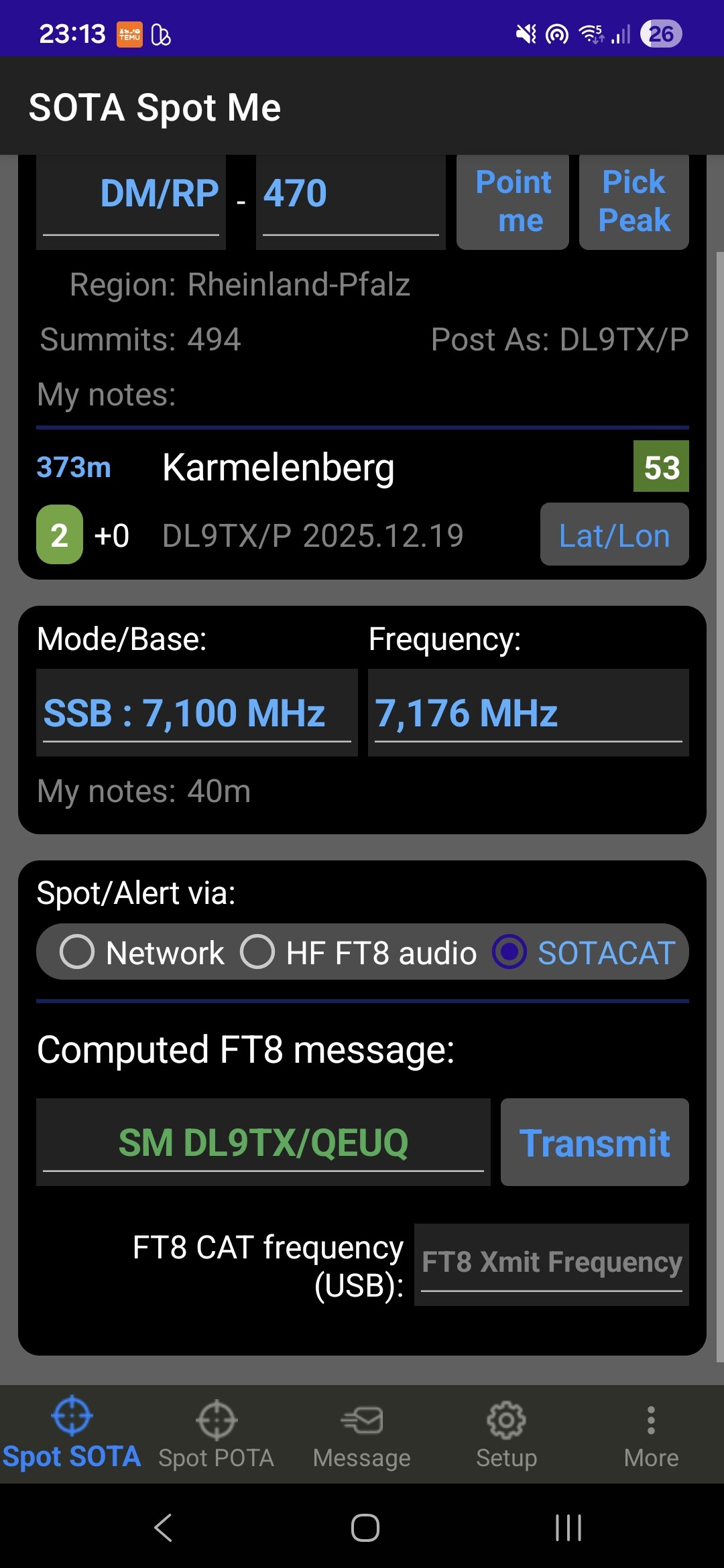
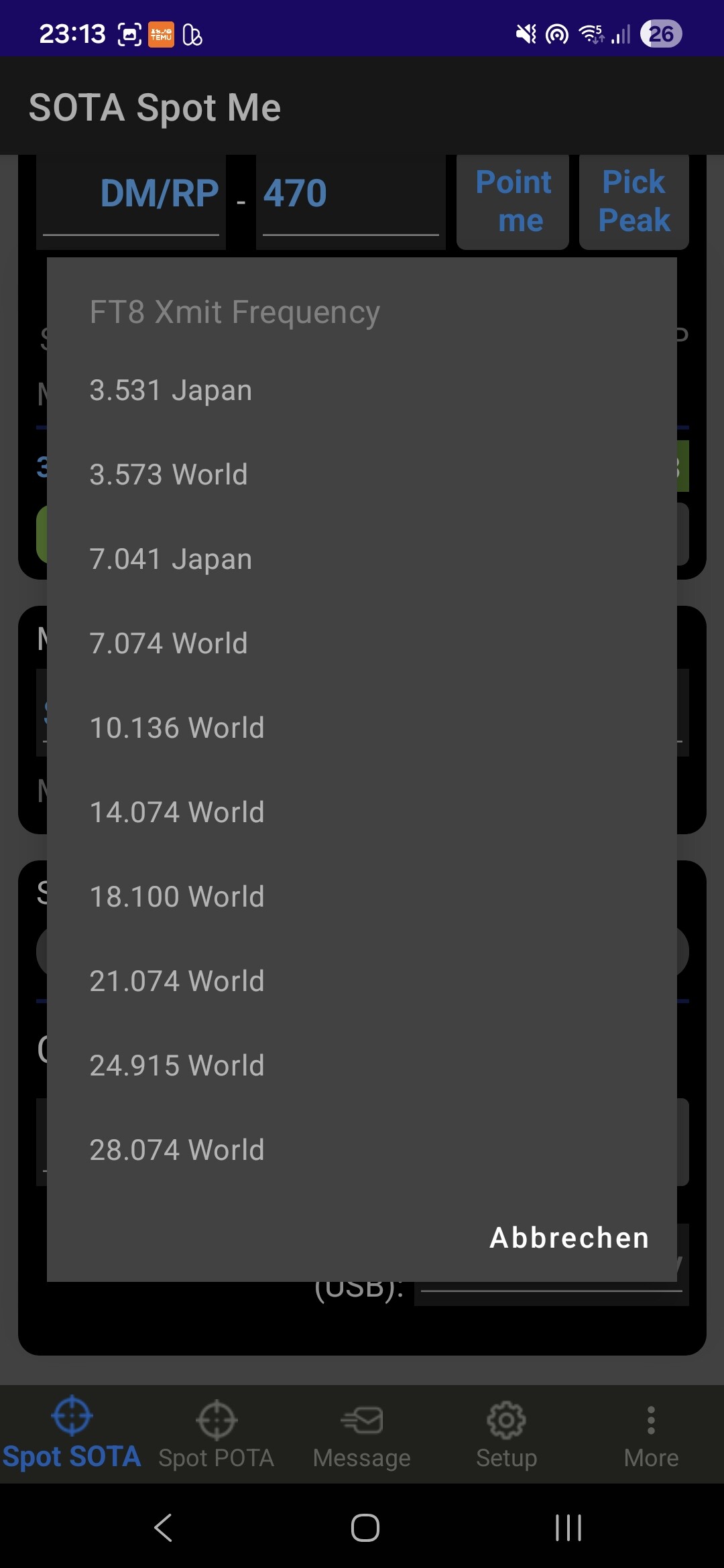
Can you send me a screenshot of the SOTAMAT app right before you hit the “transmit” button? When you say you click on the “FT8 CAT frequency (USB):” and nothing happens, you should see a popup list of options different bands. Is there blue text shown in the box with an FT8 frequency?
It sounds like a recent change to the Android OS has broken a UI selector. Since SOTAMAT is supporting multiple platforms (iOS, several Android flavors, and even MacOS and Windows but I don’t publish those builds) it is always a cat and mouse game trying to make cross-platform work on lots of devices.
What happens if you use SOTAMAT without SOTACAT integration? Does that work playing audio through the speaker?
I haven’t updated a new build for some time (haven’t needed to) but I might need to update the Android SDK’s to fix your bug.
Yes, the pop up list is available,i click on it but nothing happens on the radio. The list will close and switch back to browser mode. The red TRX Led on the SOTACAT blinks differently, and more frequently at short Intervalls.
No, there is no blue text, it’s grey.
Yes, SOTAMAT without SOTACAT and playing audio works fine.
I can imagine that Android in particular requires a lot of work to keep running.
I just installed all the latest Android updates on my test devices and I can’t reproduce the issue. I always see blue text in that selection box and never see the string “FT8 Xmit Frequency” in the box.
I see you have a German version of Android. I wonder if there is an internationalization / globalization / localization issue I have missed.
I don’t know the cause yet but your screen shot has given me a clue… thank-you for sharing it.