This is about software that takes your position as reported via Iridium from your Garmin GPS device and then relays it to APRS so you show up there.
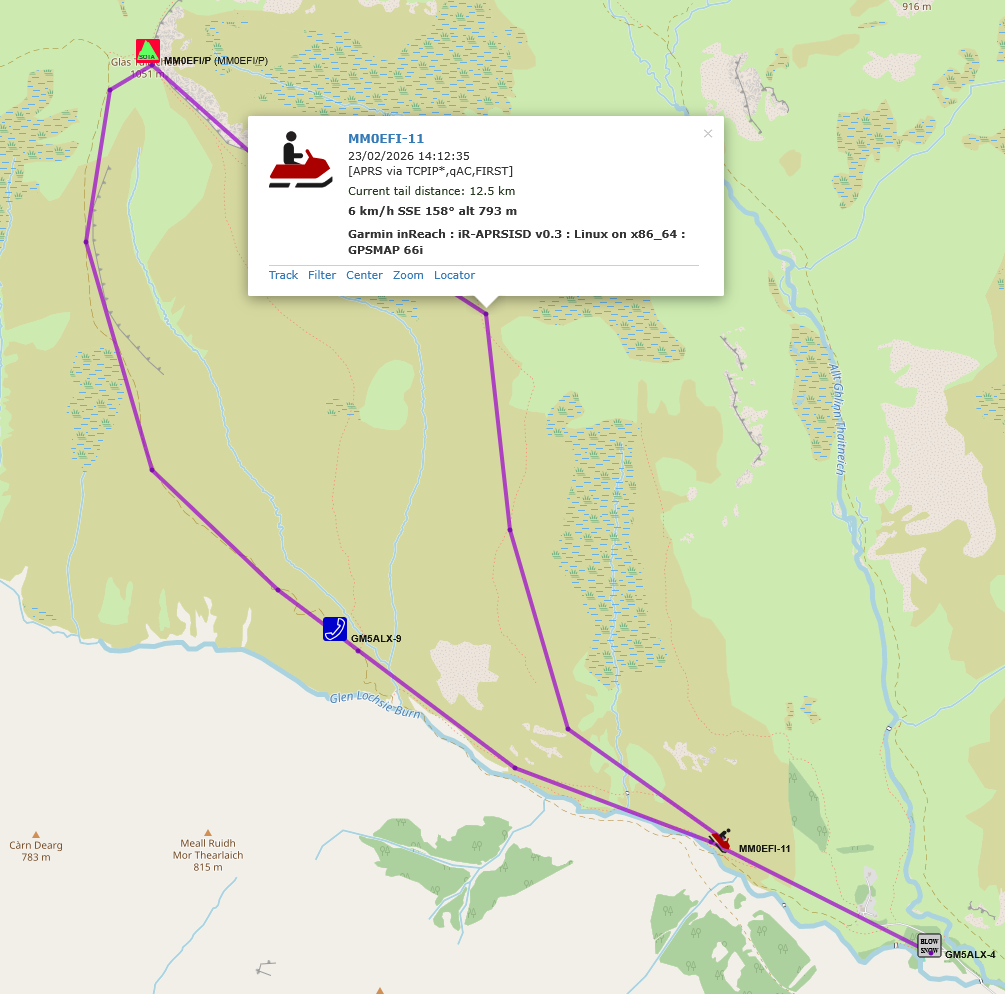
It’s been talked about in the past on here somewhere, but thought I’d write a little bit more of a guide how to set it up. It’s simple but has a couple of extra steps. This is for linux[1] but it’s python based so will work on any OS.
There are a few results online but I went with this one: GitHub - kemenril/iR-APRSISD: Garmin/DeLorme inReach (or possibly other) KML feed to APRS-IS forwarding daemon. It has a readme with instructions
Download and install
Get a few packages - e.g. Debian, raspberry pi os…
sudo apt install git python3
Find a nice parent folder you want to keep it in and get the code.
git clone https://github.com/kemenril/iR-APRSISD.git
cd iR-APRSISD
Install aprslib python package in a virtual environment so as to not mess up anything else:
python3 -m venv .venv
source .venv/bin/activate
pip install aprslib
The config
Get your passwords
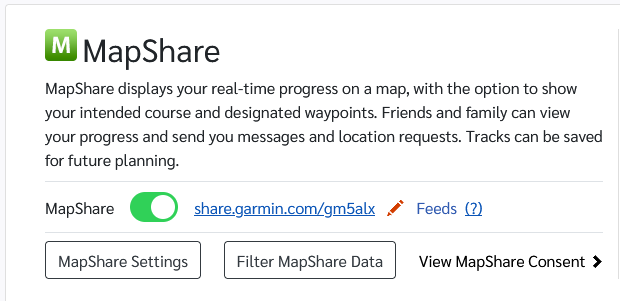
InReach is going to be your share username from https://explore.garmin.com/Social, plus the password if you’ve set one to view the MapShare.
To post to APRS you need a password which is based upon your callsign. Just go here to find it: https://apps.magicbug.co.uk/passcode/
Edit config file
nano ir-aprsisd.cfg
All you need to edit is User and Password under [inReach]; SSID and Password under [APRS] and then pick a symbol…see below:
Pick a nice symbol:

[inReach]
User		= Your inReach feed user
#If this is defined, we will authenticate to the inReach service.
# If it is not, we will assume public access is ok.
Password	= Your inReach feed password, if required

# This should be the location of your KML feed.
URL		= https://share.garmin.com/Feed/Share/%(User)s

[APRS]
#This SSID is used for logging into APRS-IS, and also as a base ID for
# generating callsigns for devices.  The first device found will be this
# SSID, the next will be this ID + 1, and so on.  If you define a [Devices]
# section, it is _only_ used for the login, and the device mapping must be
# given in full in the [Devices] section.
SSID		= GM5ALX-3
# If you don't have a password, you can use the --genpass command-line
# option to calculate it.
Password	= 1234
Port		= 14580

#If the separator is /, your icon will come from the primary symbol table.
# if it is \, it will draw from the secondary table.
Separator	= /
#This character represents an APRS icon from the table tied to Separator.
Symbol		= (

#This information is included at the end of each packet, along with some
# other data.
Comment		= APRS-IS KML forwarder, by K0SIN

#Define this section if you'd like to enforce an SSID to IMEI mapping.
# It must contain all devices you want to publish.  Anything without a
# mapping defined will be ignored if this section exists.
#[Devices]
#N0CALL-12	= 987654321987654
#N0CALL-15	= 987654321987656
#N0CALL-8	= 092847784398753

[General]

# Frequency in seconds with which to log packet forwarding stats to STDOUT
# If this is less than Period, stats will only be logged every Period seconds.
# Comment it out to skip printing packet stats entirely.
Logstats        = 300

# KML polling interval in seconds.
Period          = 300
Save with Ctrl+o and exit with Ctrl+x
Run it
Best to run on a server that’s always on, or on when you want it working. There are many ways to do this with supervisor programs, systemd services etc., I like tmux (terminal multiplexer) as I can resume my session whenever and see the output and my past commands plus have a terminal per activity.
If you want tmux then install it, run tmux and activate the virtual environment source .venv/bin/activate and run python ir-aprsisd to have it load. Disconnect from tmux via Ctrl+b Ctrl+d and rejoin tmux again via tmux attach.
For a set and forget, a systemd service is probably best. It’ll run each time you turn the computer on automatically.
Make a new one:
sudo nano /etc/systemd/system/ir-aprsisd.service
Add this text, adjusting user, group and folders as necessary:
[Unit]
Description=ir-aprsisd Service
After=network.target

[Service]
Type=simple
User=alex
Group=alex
WorkingDirectory=/home/alex/dev/iR-APRSISD
ExecStart=/home/alex/dev/iR-APRSISD/.venv/bin/python /home/alex/dev/iR-APRSISD/ir-aprsisd
Restart=on-failure
RestartSec=5

Environment="PATH=/home/alex/dev/iR-APRSISD/.venv/bin:/usr/bin:/bin"

[Install]
WantedBy=multi-user.target
Get it running:
sudo systemctl daemon-reload
sudo systemctl enable ir-aprsisd.service
sudo systemctl start ir-aprsisd.service
Check for errors, and past them into ChatGPT 
sudo systemctl status ir-aprsisd.service
Finally
By default it polls the Garmin share every 5 mins but you also set your Garmin reporting frequency on your device. A 2m/70cm LoRa tracker will give you much more detail but sometimes you don’t always have igate coverage. Plus if you’re running the Garmin tracking anyway, why not report to APRS.
It throws a syntax warning about \w+ that line is used for multiple inReach devices so can be ignored. Maybe someone will do a pull request to fix it 
At the risk of posting a how to, I expect people to ask questions/things don’t work on their computer. I or others may or may not answer. An energy intensive LLM will always happily answer, and often works well but sometimes digs itself in a hole.
No doubt better ways to do things.
basic linux assumed, installing packages, editing files… ↩︎