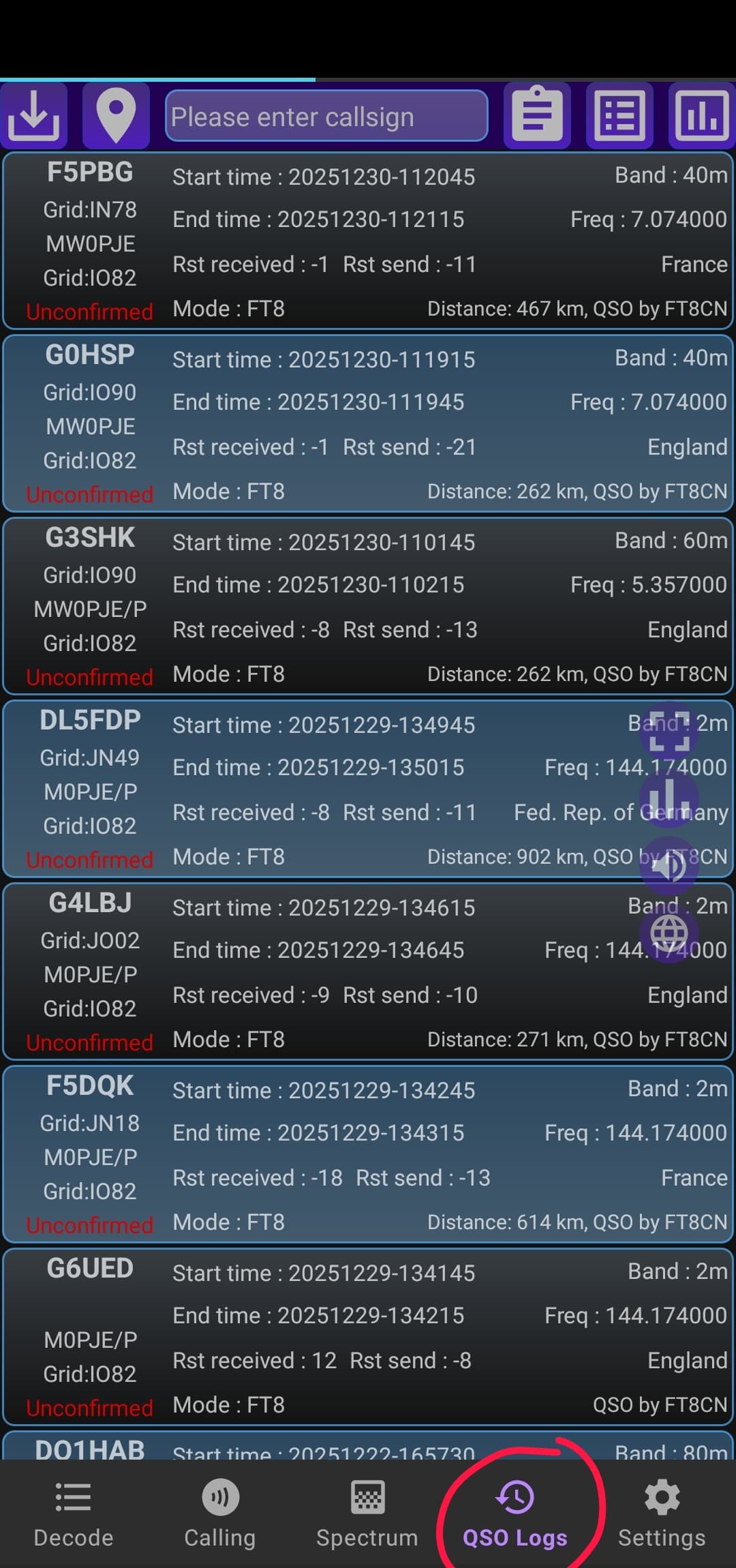
Has anyoe used FT8CN on android devices for FT8?? I was shown an example of it the other day, and it looked pretty decent if im honest.. i need to find my spare phone and see if i can make it work on my little Xeigu G106…
Alan
Has anyoe used FT8CN on android devices for FT8?? I was shown an example of it the other day, and it looked pretty decent if im honest.. i need to find my spare phone and see if i can make it work on my little Xeigu G106…
Alan
There are two, FT8CN and FT8TW on Android (possibly more, I’m unsure). It seems to work with my QMX but I don’t fully understand how to use it yet e.g. I think I’ve made a QSO but can’t be 100% certain hence to date I’ve made no confirmed FT8 contacts yet.
The two apps seem to be very popular though and I’d wager folks here on the reflector would be far more knowledgeable to give you a steer. 
I use FT8CN - works well with an FT817 (works but less well with an 891).
I understand FT8CN is not being maintained any more and FT8TW is the current fork.
If the G106 supports VOX on digi mode (or even on USB) you just need a cable from the ACC port to the headset jack on your phone and it will work if you’re happy to set the frequency by hand.
I usually do not operate FT8, but I tried the app and it works well. I keep it as a backup for very difficult days such as HF storms, a damaged microphone, or no CW key available.
Be careful with common mode currents. I found the phone to be very sensitive, with the screen becoming uncontrollable during transmission, including blinking and app crashes. I did not investigate whether this was due to actual common mode currents or RF picked up by the USB cable. In any case, I would recommend using a good choke when operating this way.
FT8TW is the app to use for SOTA.
The app works great. I’ve not noticed any issues with my phone locking up.
Hi Alan,
The G106 does not have VOX, so you will need to have audio and CAT (serial) connections from the phone to the radio. The simplest way to do this would be to buy a DE-19 box and a USBA socket-USBC plug OTG adapter - cheap enough a couple of pounds for the adapter (presuming your Android phone has a USB-C connector). Before you buy the DE-19, ask the supplier whether the chipset in it (audio and Serial USB) is supported by Android.
73 Ed DD5LP.
PS FT8CN or FT8TW are both good pieces of software but I think TW is continuing to be developed while CN is not.
yep already got one! hahaha should’ve been clearer in my 1st post sorry! used it via USB on the laptop previously 
Where can that be downloaded? thanks!
Brillaint, thankyou!
Not heard of the second one, but hopefully someone will steer me! Thanks!
A phone is certainlyu ALOT lighter than a laptop to carry up a mountain! and this all looks perfect for my spare Droid phone, thanks everyone
Alan
Google Play Store or github.
This topic has been discussed before and there may be some useful info at:
Review of FT-8 on your mobile phone by VK3YE- link - Off Topic - SOTA Reflector
I run FT8CN via a modified Bluetooth speaker making use of the VOX in my FT817. I used it a bit during the 10m challenge in 2024.
I haven’t looked at FT8TW lately, but it is being improved I guess it is worth another visit.
Hi,
I have used FT8CN with accoustic coupling. However I use it exclusively for reception to check where the band is open to. If I were stuck for contacts I might give it a try.
73
Ron
VK3AFW
FT8CN works well with the FX-4CR transceiver with the built in bluetooth interface. I found the UI a bit confusing at first, but it was reliable running on an Samsung S21. It made for a compact setup during the 10m challenge when contacts were sparse on SSB.
Glenn VK3YY.
The G106 that Alan has does not support VOX or Bluetooth, so USB cable connectivity (via the DE-19 box), is the best option. Using audio out and in with the radio’s speaker-mic held next to the Smartphone would possibly work if Alan is quick enough on the PTT button, but after a while it would become a pain.
73 Ed.
Reading a screenful of FT8 data on a phone is horrible. I need a screen 10 times bigger. 6 inches is not enough for anything but a casual contact. 16 inches is getting there.
73
Ron
VK3AFW
Just downloaded it to my spare phone, and so far im impressed!
Just been doing some “bench testing” on a dummy load with the G106 and the DE19… works like a dream! full CAT control, transmits audio ETC just fine… way easier setup than WSJTX on the netbook! Just need to get out now and have a play in anger!
yea, but the weight advantages over larger screens/netbooks/tablets outweight the small screen for me pal!
Thanks for all the help chaps!
Alan
Alan,
If it works for you then by all means go for it.
My old eyes have great trouble reading small print even with a big quality quartz, sorry plastic, front end.
A minor quibble. My PC based system sees about 20% more decodes.
80% is of course much better than nothing.
Tom, M1EYP, has worked heaps of stations including yours truely from the Cloud etc on FT8 and FT4 but I think he uses a Tablet or Notebook.
73, Ron, VK3AFW.
If you’re not fussy about who you make contacts with, you can set it to call CQ and automatically respond to any replies.
Which is fine until multiple people call you and the software get confused 
,how about using a larger android tablet then Ron?
Geoff vk3sq
Thanks all for the useful tips. I’ve now got FT8TW-UAT version working thanks to the helpful info. I hope I won’t really have to use it, but if it makes the difference in the coming solar conditions I’m glad to have the option.
In case it helps anyone, I wasted over an hour or so trying to troubleshoot why there was incredibly low audio output with my Pixel 10 pro. I never really got to the bottom of that, using the same settings my spare Pixel 5 it worked immediately.
Setup is FT-817 in DIGI mode, digirig straight into the phone’s USB-C. CAT control works a treat. Footnote; the PKT mode on the FT-817 worked with both phones fine in TX, but zero RX audio out the data port, it may have been possible to pickup audio out on the headphone jack, but I didn’t want the faff.